Thursday, January 26, 2017
Printer Epson Seri L Kini Dukung Mac OS
Printer Epson Seri L Kini Dukung Mac OS
 JAKARTA, Kamu punya printer Epson seri L (L100, all-in-one L200, printer foto L800) yang sistem tanki tintanya menganut sistem
Available link for download

Wednesday, January 11, 2017
Running Windows Programs With a Mac Made Easy
Running Windows Programs With a Mac Made Easy
Since Apples transition to Intel processors in 2006, Windows applications run beautifully on the Mac. Every currently shipping Mac qualifies, but older Macs may not. You can run any Windows program and even play the best of windows 3-D games on your Mac with the right tools. Now there are two ways to run windows programs on Mac, both ways will require you to install windows on a Mac and they are:
1. Boot into Windows at startup - This way will dedicate 100% of the processors power to Windows and Windows applications. The only problem is that you cant use Mac OS X and Mac applications again until you restart.
2. Use Virtualization software - This lets you run Mac OS X and Windows side by side. You can switch between them as easily as youd switch between Mac applications.
The first option is known as duel booting and it means having more than one operating system installed on your System. When your computer starts, it prompts you and asks which operating system youd like to run. To carry out this procedure you can use a program called Boot Camp which is available for download from the Apple website. The problem with this way is that you need to re-boot in order to switch between Mac and Windows applications. Now Depending on what you do and how you work, this is either a minor inconvenience or a big deal.
You see you cant copy and paste between Mac and Windows programs. And when you want to run a Windows program, you have to close everything you were working on, shut down the Mac, and restart it in Windows - and then reverse the whole process when youre done. This can become quite time consuming and annoying if you need to regularly switch between the two operating systems. So what is the solution to this problem?
This is where option 2 looks a lot more appealing, Virtualization! Virtualization, also known as Virtual Computing, allows you to run an OS inside an OS. It uses software to emulate PC hardware and create a "virtual machine" running alongside the Mac operating system, giving instant access to any desired Windows applications. This means you can run both windows application and Mac programs side by side and switch between the two seamlessly. The best Virtualization Software on the Market is released by Parallels Software, and the great thing about their program is that it is Free to download, so you can start running windows programs with a Mac today! If you use Microsoft Office for Work or frequently need access to Windows applications alongside your Mac software then Virtualization is the way to go.
Therefore if you were wondering, can you install Windows on a Mac Computer, then wonder no more as your dream has become reality. You have two options at your disposal; you can either use the duel booting method or grab some good virtualization software, most users find virtualization the most convenient route as you will be Running Windows programs with Mac and your original Mac Programs side by side. For a more thorough look at how the two methods work and the tools required to Run windows on a Mac visit the link below...
Do you need To Run Windows Programs on a Mac? Dont Worry It can be done quite easily with the right tools, learn more on How to Run Windows on Mac and make the switch Today! Personally I use virtualization to run windows programs and play those glorious windows games on my Mac. The program is use is Parallels Desktop 4.0, it is Free to download, and it will let you to run both Windows and Mac Programs Side By Side, Allowing you to access the best of both worlds!
Available link for download
Sunday, November 13, 2016
Run Windows Programs On A Mac
Run Windows Programs On A Mac
There are places online where you can easily convert a lot of file types. But this may not always be the best option. It may not be possible to convert every single file type there is with such services. In the case of a program or application, there may be other alternatives available for the Mac operating system. But this is not always the case, since a lot of programs and applications that are available only for the Windows OS have unique or proprietary features that may be desired. Read on to find out 3 ways to run Windows programs straight from your very own Mac.
CrossOver from Code Weavers (the standard edition is $39.99, the professional version is $69.95) is a Windows emulator for Mac OS X that allows you to use a range of Windows programs on your Mac. The bad news is that it is only available for Mac OS 10.5 or later on Macs with Intel x86 CPUs. If you meet the requirements however, its a very simple option. The CrossOver program exists on your Mac and when you insert supported Windows software discs or download Windows programs from the internet, it recognizes them and installs them with ease.
VirtualBox is a free, open-source program that provides virtual machines for you to run different operating systems on top of your Mac OS. Although it is free, youll have to purchase a Windows operating system in addition to applications or programs. (if youd like to run a free operating system on VirtualBox, see resources below). Sadly, VirtualBox is only supported on Intel Macs as well.
WineBottler is an open-source program that allows you to run some Windows applications on your Mac. Again it is only supported on Intel Macs. This method can be a little buggy, but on the website you should find all the info you need to get some programs up and running.
Hopefully with these options, youll be able to get some Windows only applications running on your Mac.
Run a free operating system on VirtualBox: http://computersight.com/operating-systems/linux/how-to-install-ubuntu-on-virtual-box/
Available link for download
Saturday, November 12, 2016
Remove MacDefender from Your Mac
Remove MacDefender from Your Mac
Actually, MacDefender is not a virus. It also is not a malicious that will removes your data or send spam emails to your friends. Basically, this application tries to make you pay some money for similar applications, as is commonly found when you have to pay a 'Pro' version of any application. The difference, MacDefender have no the pro version, do not spread the infection, viruses, or other things that make problems to your Mac.
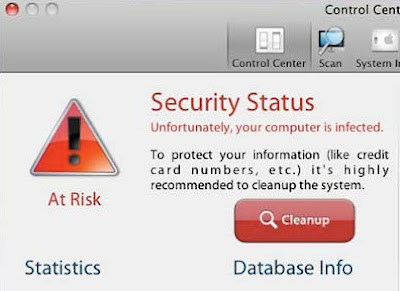
- Click the Spotlight (magnifying glass which located in the top right corner).
Available link for download
Thursday, November 3, 2016
Remove MP3 Background Noise in Mac OS X Using Audacity
Remove MP3 Background Noise in Mac OS X Using Audacity
Audacity is open-source audio editing software. Perhaps that was a reason made it become one of the favorite software. In this post, thecybergal will share you how to remove background noise using Audacity in Mac OS X.
The first step, open Audacity and then open the MP3 file you want to remove the background noise.
File > Open > and select the file you want to ‘clean’. Once the file opened, you’ll see something like this.

Available link for download
Thursday, October 13, 2016
Parallels Desktop 10 0 1 Full Version Crack Mac OSX
Parallels Desktop 10 0 1 Full Version Crack Mac OSX
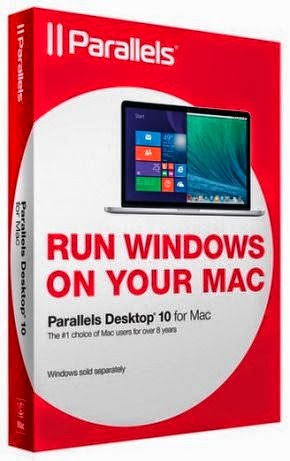
How To Install:
- Turn off your internet connection.
- Install the program - Double click on "dvi-PD10-cracked.dmg".
- Run the program and type any characters until you fill the field. Press continue.
- Enjoy. Youve got yourself Parallels Desktop Cracked Full Version.
Available link for download